
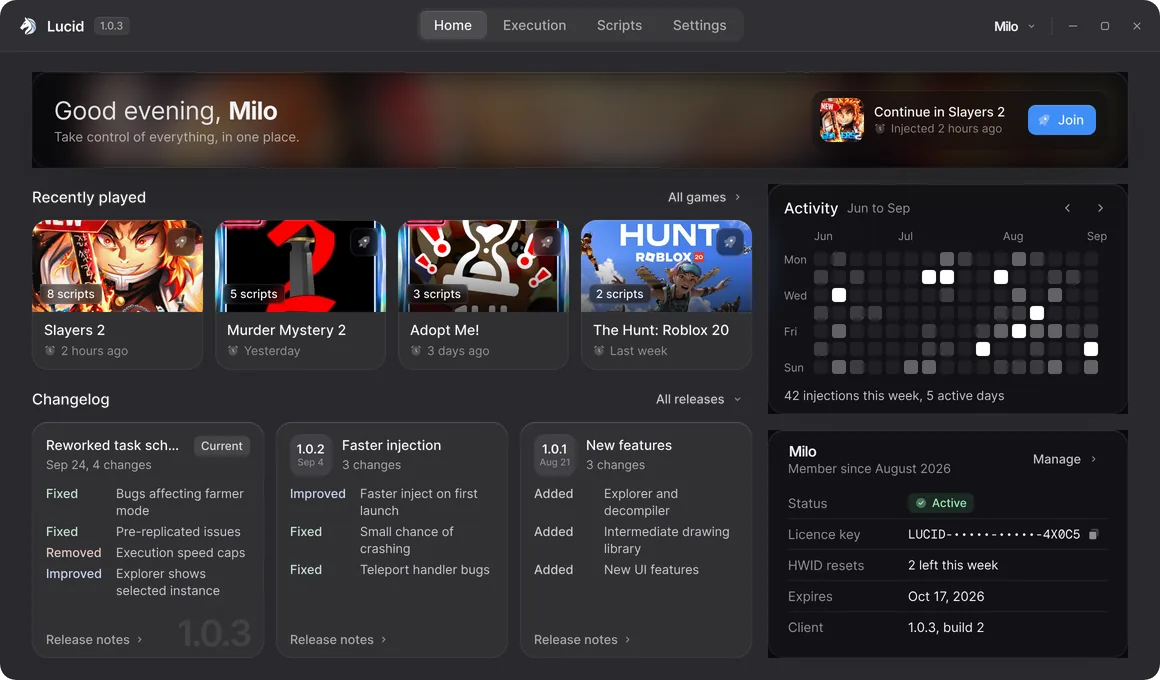
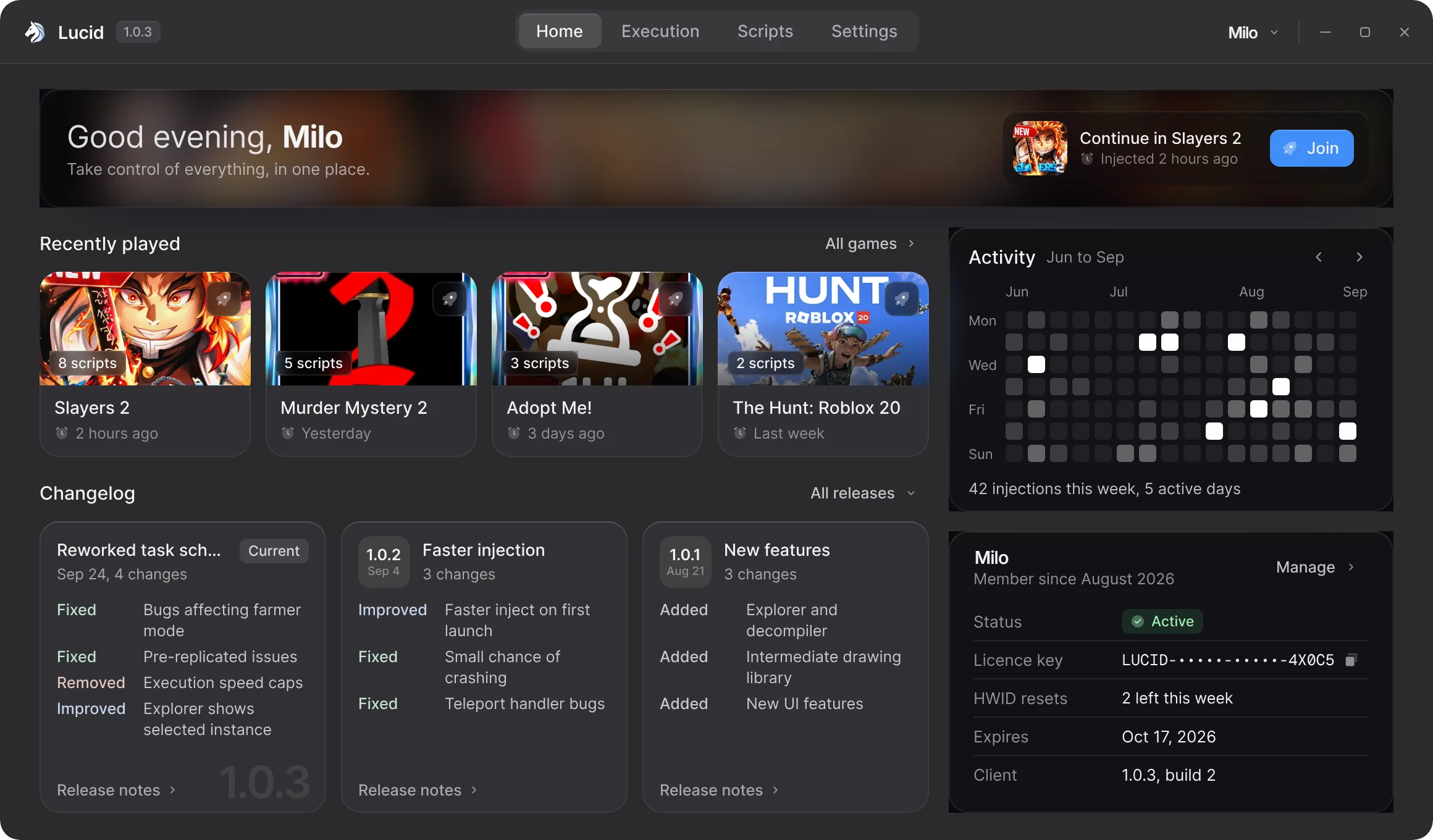
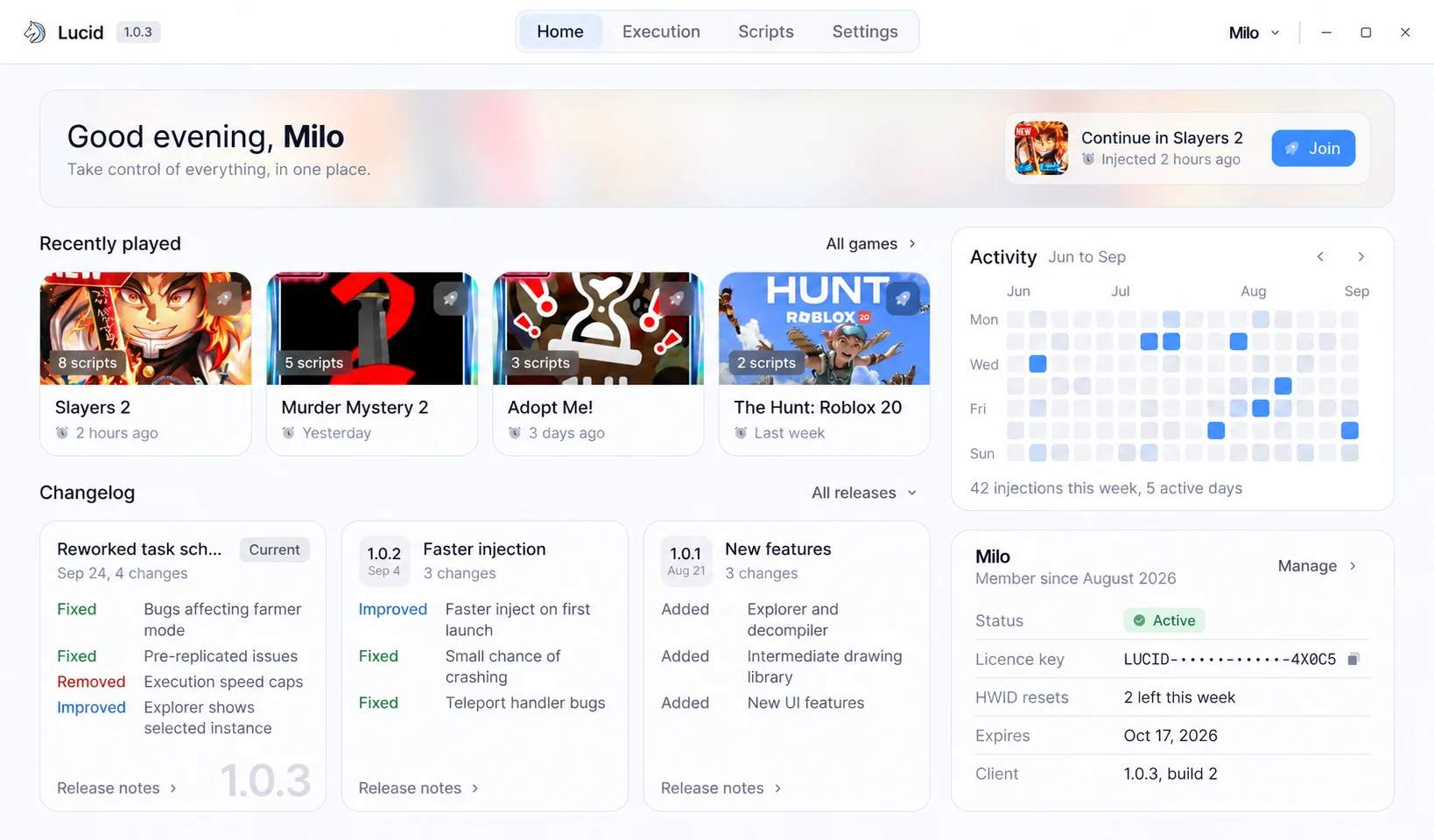
Game history and saved scripts.
Your game history, saved scripts and execution settings stay together, ready for your next session.

A scripting utility for Windows.
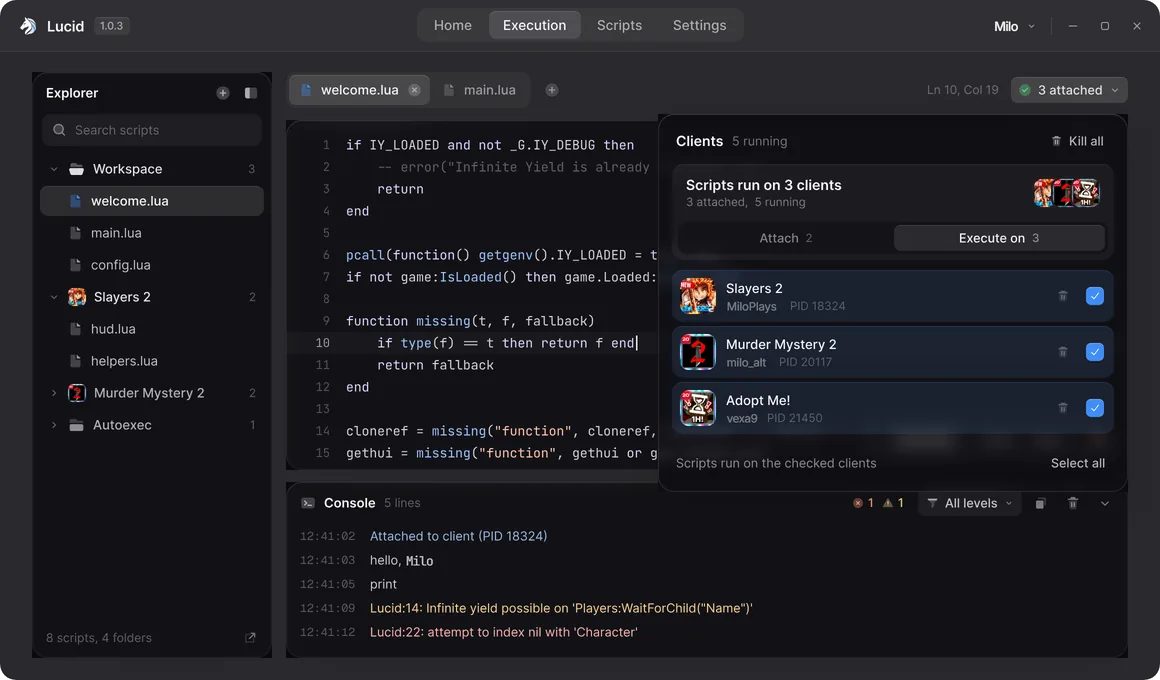
Editor, script hub, clients and accounts.
Running a script should be the easy part. You shouldn’t have to trade performance for compatibility, lose your setup when you change games, or guess what went wrong.
Lucid brings it all into one Windows workspace. A complete, optimized script environment, an editor with useful diagnostics, and a home for every game, script and client. Built to work together from the start.
















Lucid’s environment combines optimized execution, complete libraries and precise error reporting. Scripts load quickly, their libraries behave as expected, and errors point to the script that failed.
Your game history, saved scripts and execution settings stay together, ready for your next session.
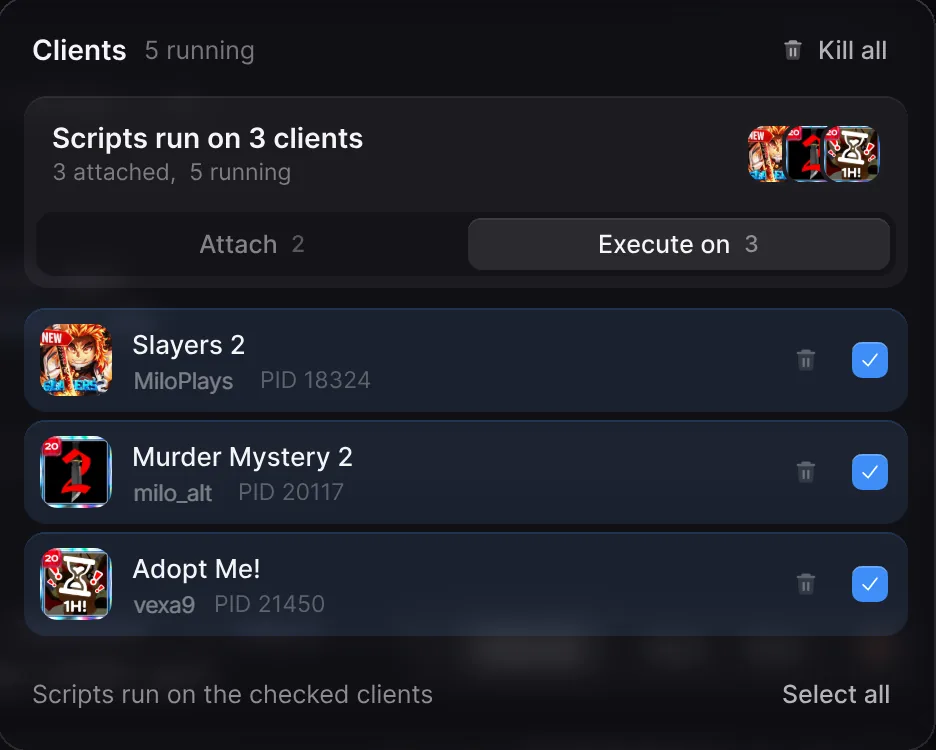
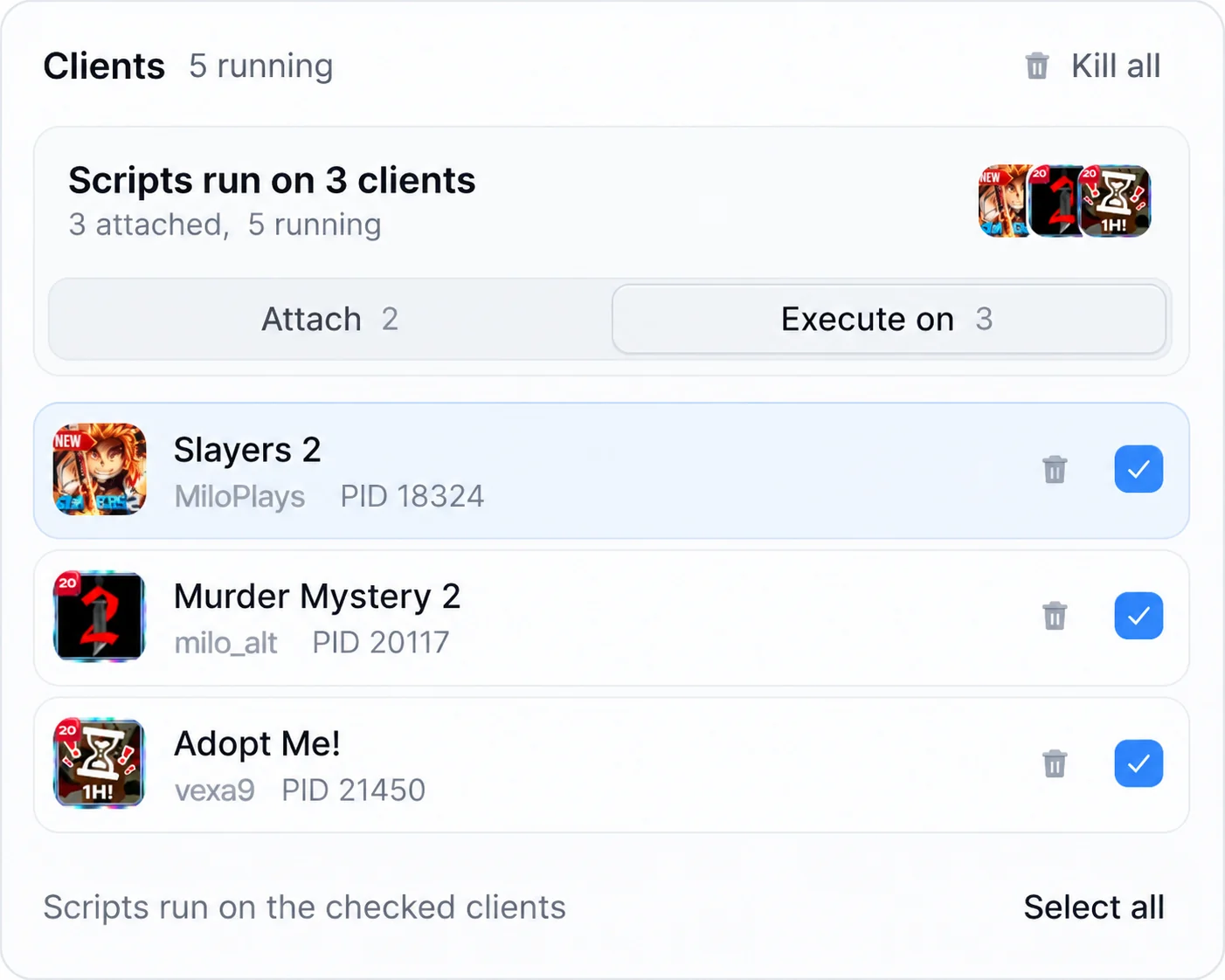
Tick the clients you want and Execute runs on all of them at once. Unticked ones are left alone.
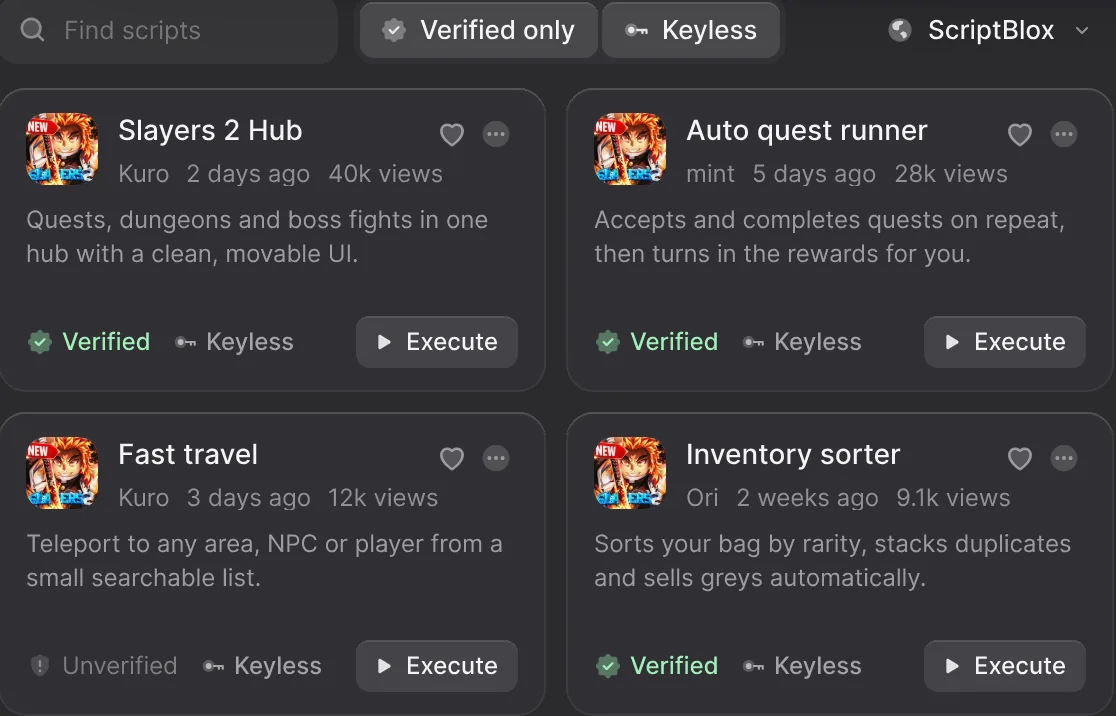
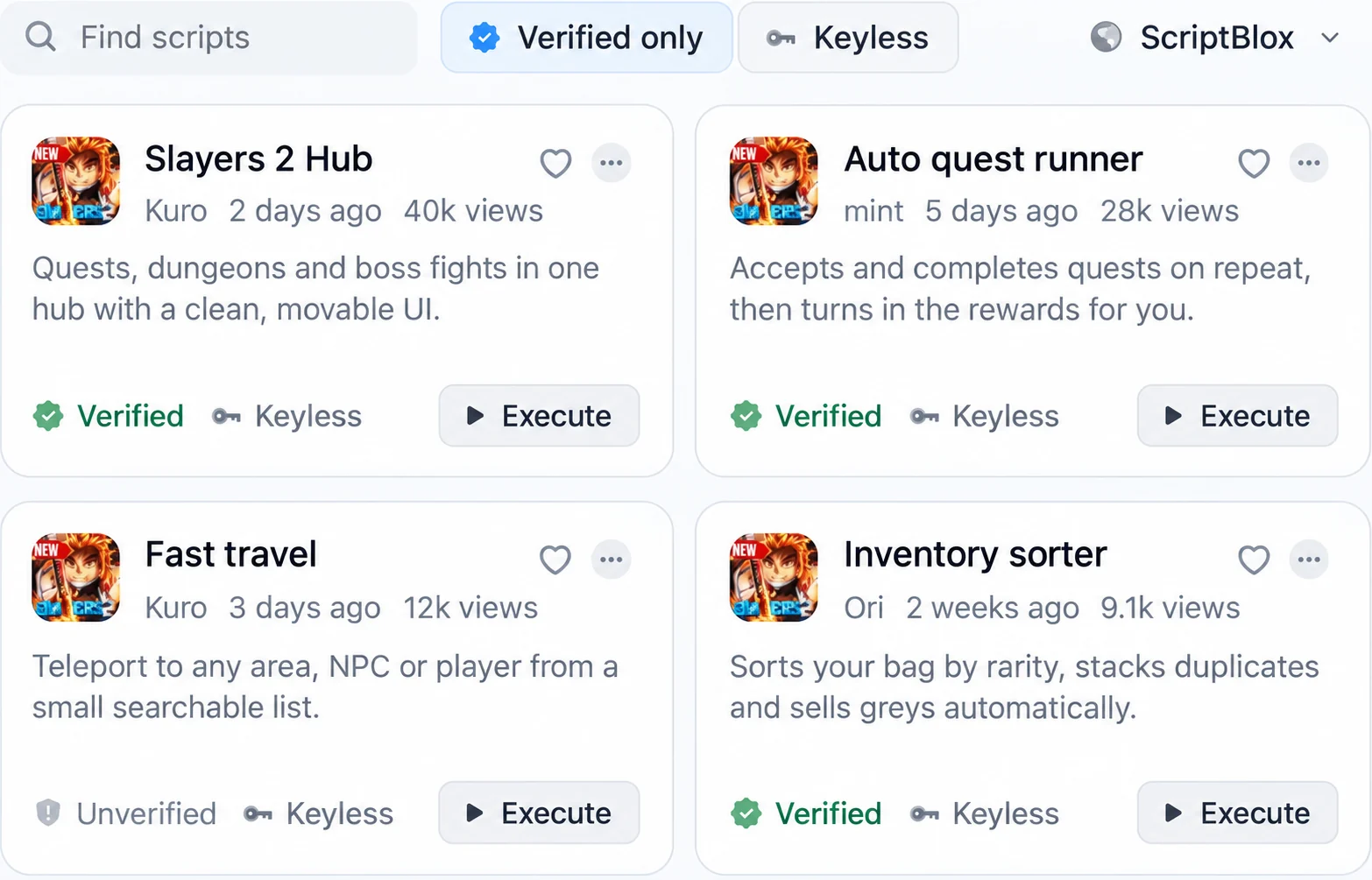
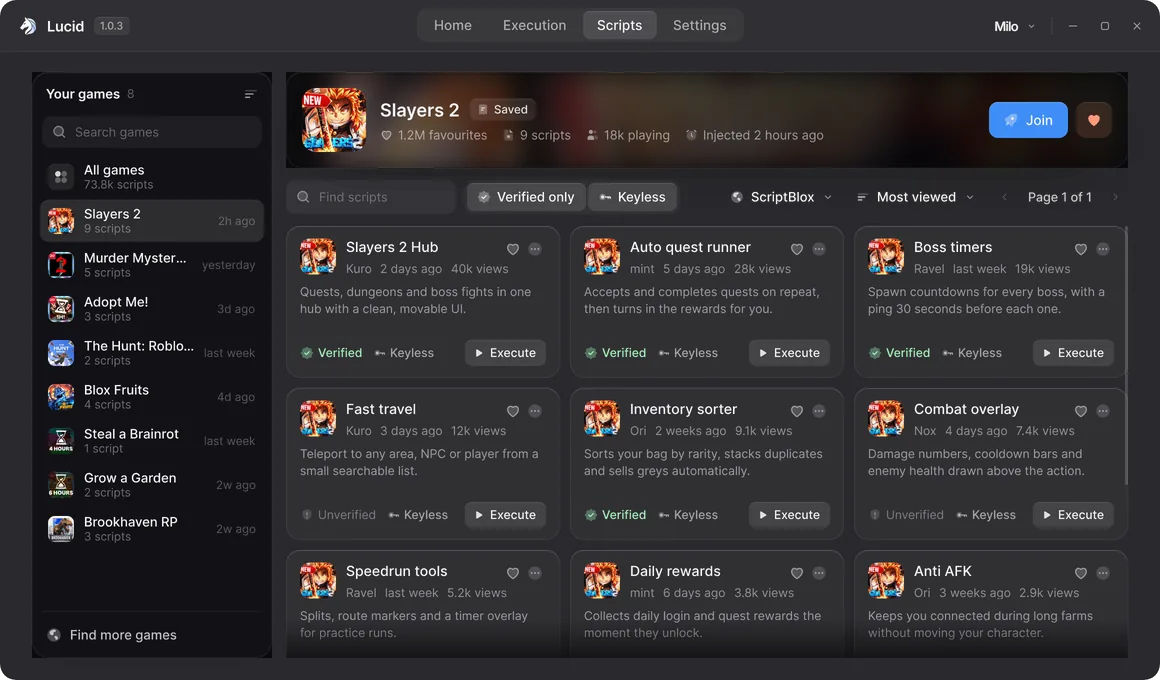
Search the hub by game, keep to verified and keyless, and run one in a click.
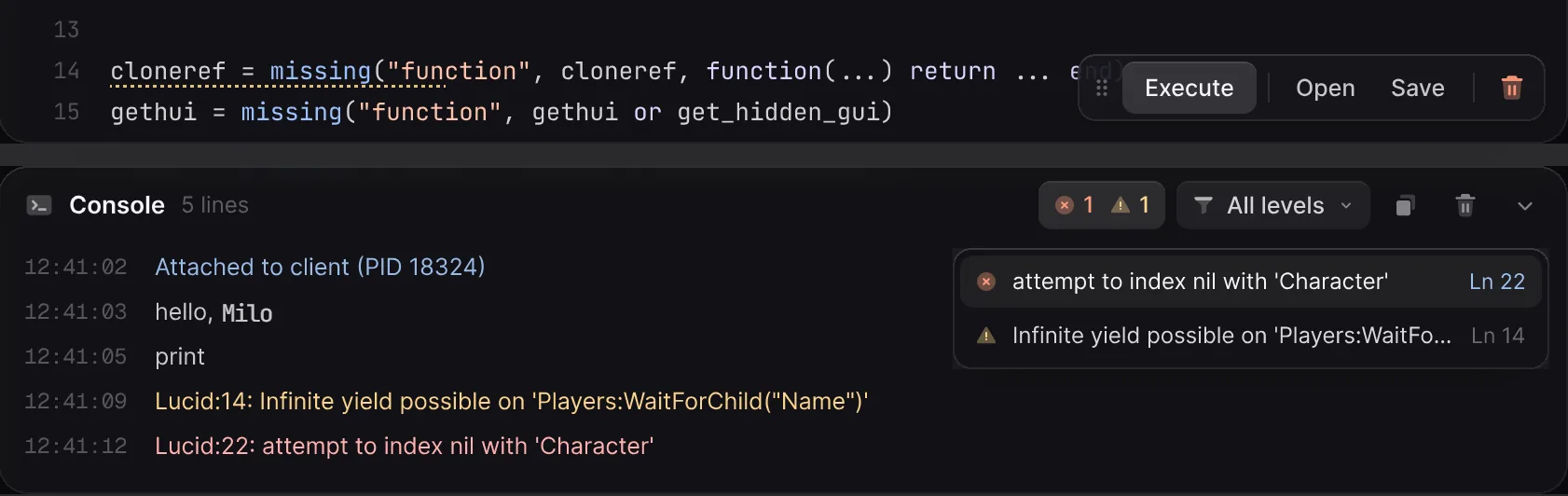
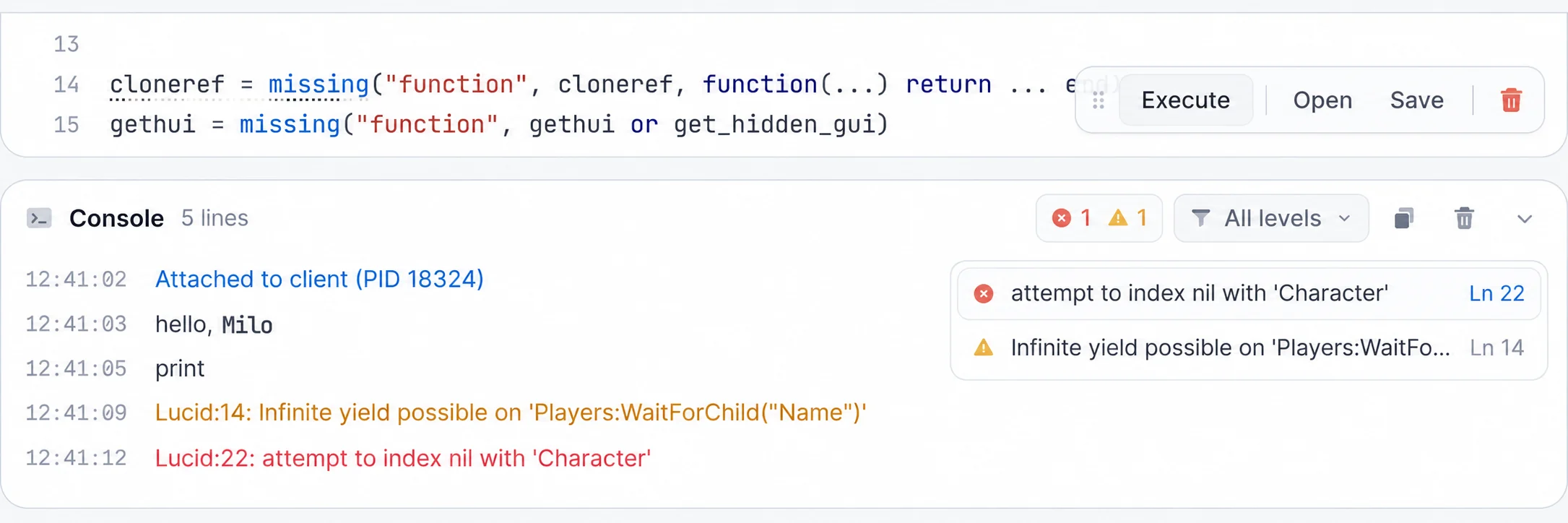
Output from every client in one place. Errors and warnings point straight to the line they came from.
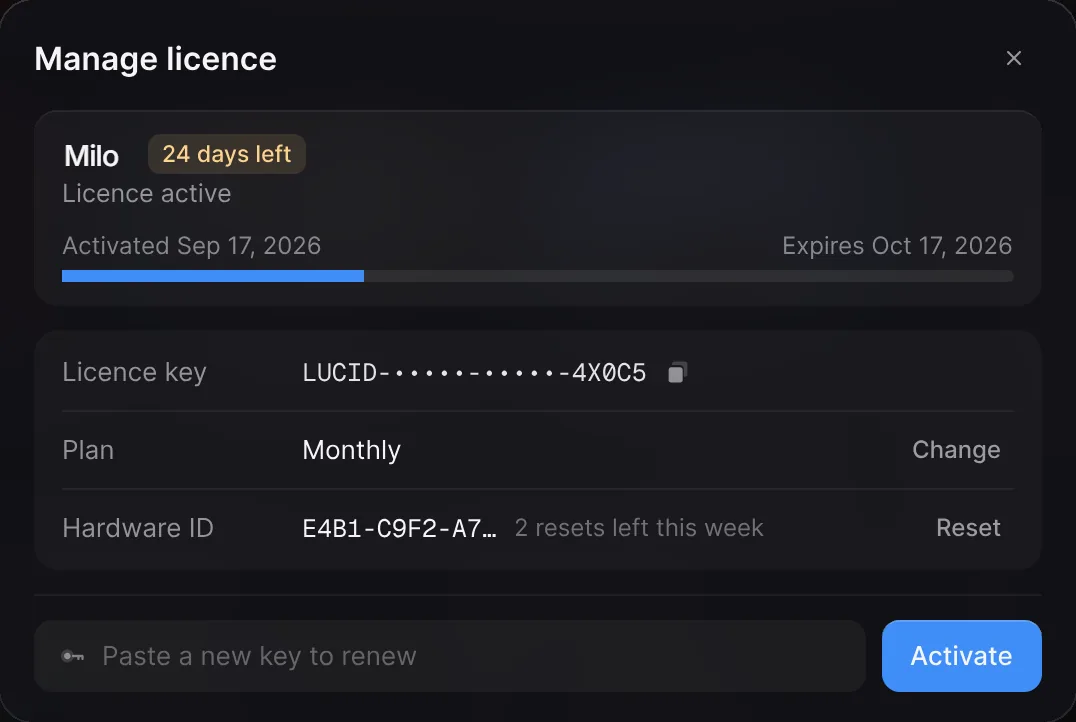
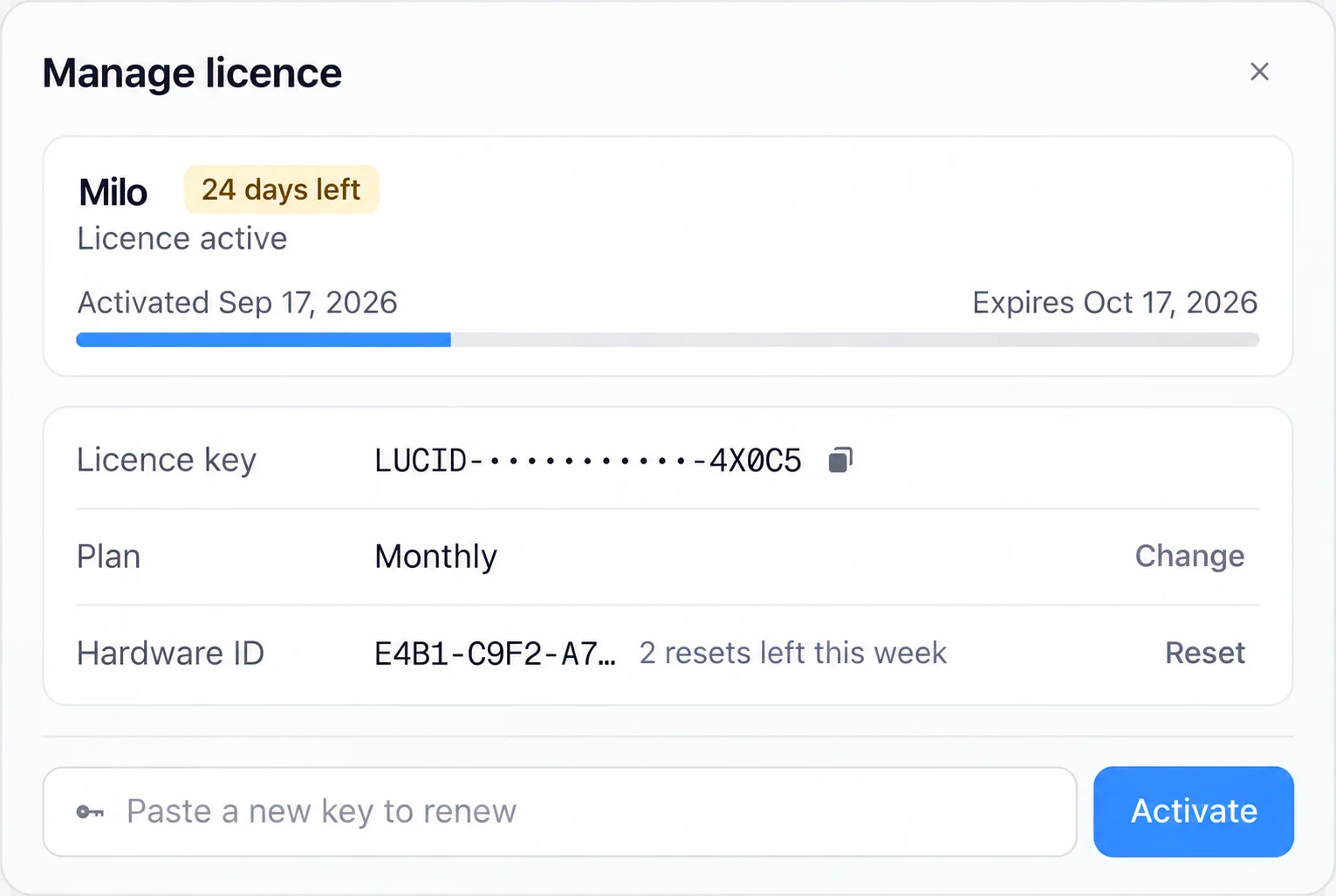
See the days left, copy your key, reset your HWID or renew, without leaving the app.
As soon as a game loads, or when you choose.
Every open game window, side by side.
Scripts that start the moment you attach.
Output, warnings and errors from every client.
Run Luau on any attached client.
Read the scripts a game is running.
A drawing library for on-screen overlays.
Scripts can read and save their own files.
Explore illustrative frame-rate ranges and script loading times across executors. These figures are examples, not verified measurements.
Higher is better
60–70 FPS Lucid
| Executor | Frames per second |
|---|---|
| Lucid | 60 to 70 |
| Volt | 2 to 10 |
| Synapse Z | 12 to 24 |
| Potassium | 16 to 28 |
Lower is better
6 seconds Lucid
Select a bar to compare it with Lucid
The frame-rate curves are generated from example ranges, not captured frame by frame. The loading times are supplied comparison figures; raw test records were not included with this site.
For a fair comparison, use the same device, game, graphics settings and script with each executor. Press Shift+F5 in Roblox to view performance statistics and record repeated runs.
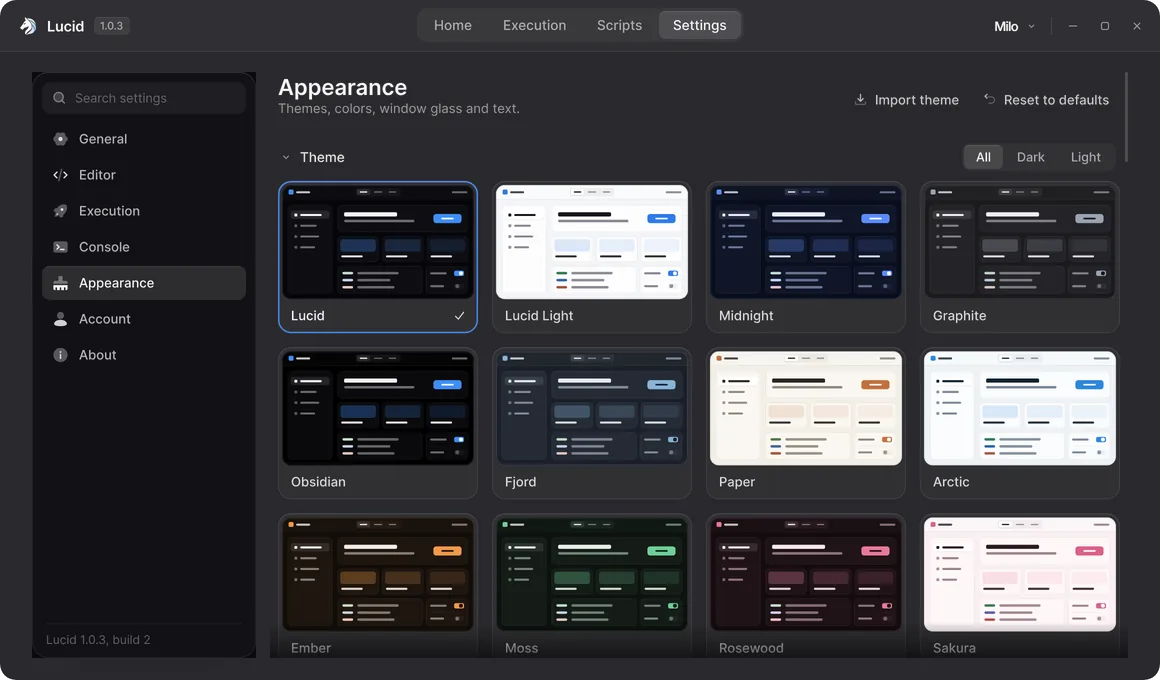
Pick a theme, tune the colours and the window glass. Light, dark, and everything in between.
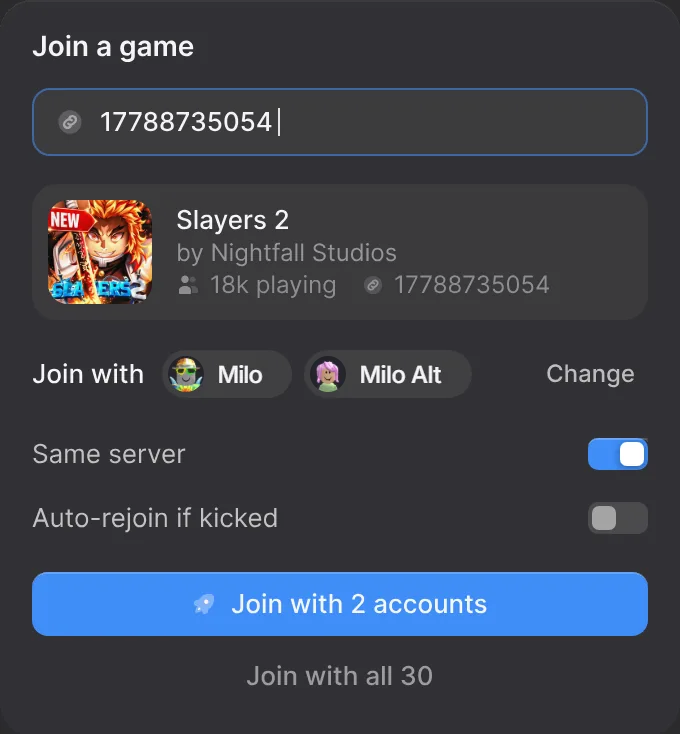
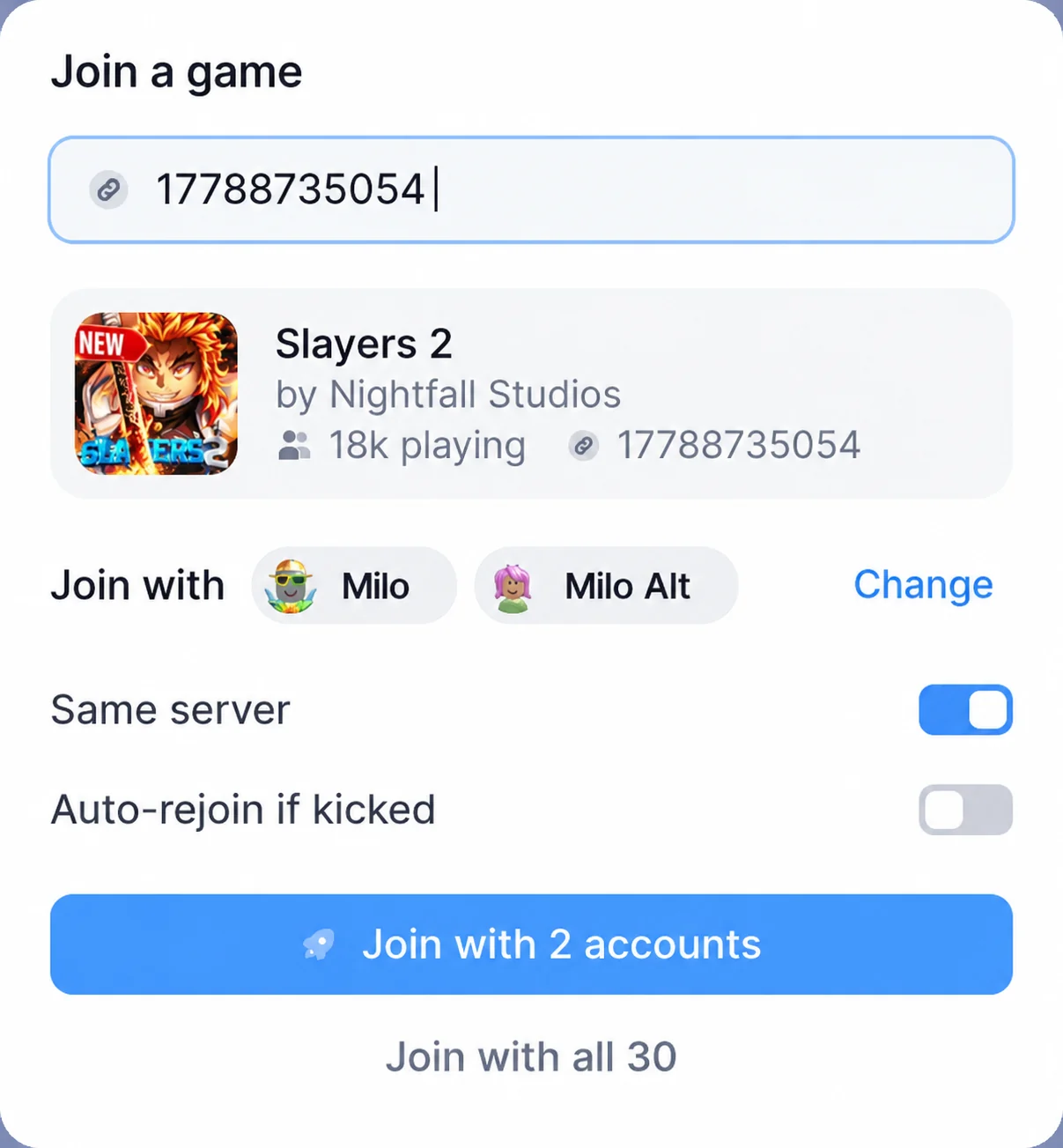
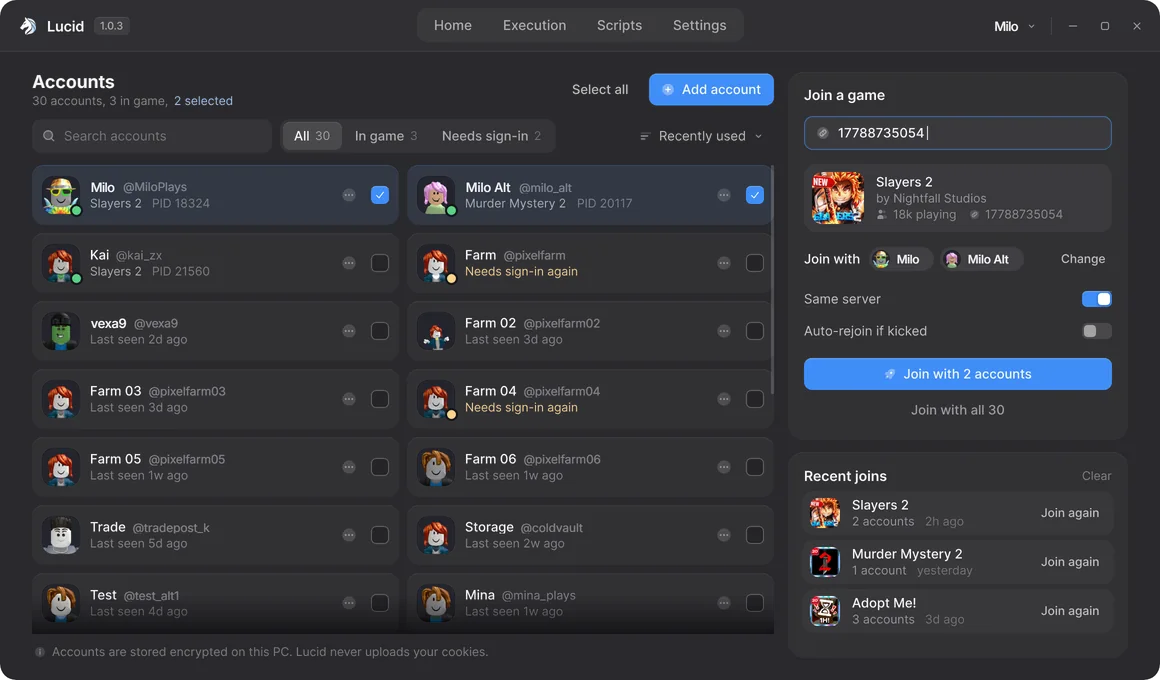
Paste a game ID, pick your accounts, and join the same server together.
7 days

$5.99 USD per 7 days
About $0.86 per day
Choose WeeklyFull Lucid access for 7 days.
Best value, save 33%
90 days

$39.99 USD per 90 days
About $0.44 per day
Choose QuarterlySave $19.98 vs. three Monthly plans.
30 days

$19.99 USD per 30 days
About $0.67 per day
Choose MonthlyFull Lucid access for 30 days.
A Windows PC. Open your game, open Lucid, and it attaches to the clients that are running.
Press Get Lucid, paste your key and download. The app asks for the same key the first time you sign in, then remembers it.
Your key is tied to one PC. If you move to a new one, reset it from Home, under Manage licence. You get two resets a week.
Open Manage licence, paste your new key into the renewal field and select Activate. You can check your remaining days in the same panel.
Lucid checks for updates when it launches, and Home shows whether it works with the build you have before you join a game.
Yes. Tick the clients you want in the Clients list and Execute runs on every checked one. Unticked clients are left alone.
Accounts are stored encrypted on your PC. Lucid never uploads your cookies.
Pick a plan on this page, or buy from a verified reseller. Every key works the same way and activates in the app.